

Turn every job into a Google post in 30 seconds
Project Poster takes the photos from a job you've just finished and writes a Google Business Profile post around your services and suburbs, then schedules it for you. Every post helps Google understand the services you offer and the areas you work in, so you rank higher in the map results and get more calls and clicks from the customers you want, right in your local area.
No spam. I'll send you the details by email.
Around 40% of the clicks go to the map
Search for almost any local service, a plumber, an electrician, a fencer, and Google puts a map and a handful of businesses right at the top. Around 40% of the clicks on those searches go to the businesses in those map results.
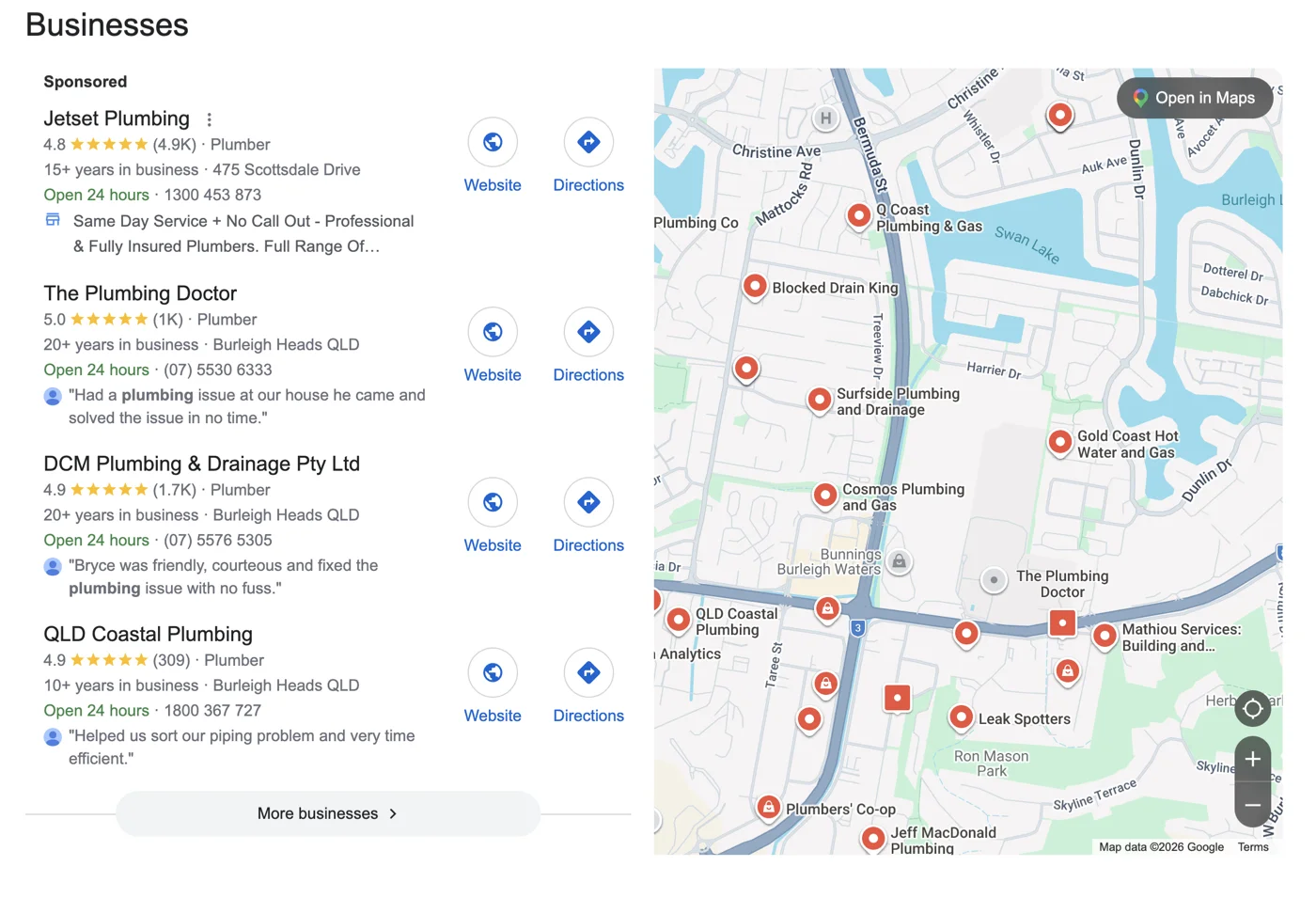
Google's map results for a plumbing search around Burleigh Heads
It's visual, it's at the top, and every business in it has its stars, a website button and directions right there. Getting in touch takes one tap. If you're not in the map, most of those people never see you.
How Google picks who’s in the map
How well your profile matches what someone searched for.
How posting helps: Every post names a service you offer, in the words customers search, with photos of that work. Post by post, your profile matches more of those searches.
How close you are to the person searching, or the suburb they typed in.
How posting helps: You can't move your address, but every post names the suburb the job was in. That ties your business to all the suburbs you service, not just the one you're based in.
How well known, active and trusted your business looks.
How posting helps: A steady stream of fresh posts with real job photos shows Google a busy, active business. A profile that hasn't posted in months looks like nobody's home.
Posting isn't optional any more
Posting about your services and suburbs to Google, often, with real job photos, is how you show up on all three. The businesses already in the map are doing it. If you want to compete in your area, in any industry, you have to do it too.
Send me Project PosterNobody reads your Google posts. Google does.
Most people looking at your Google Business Profile scroll straight past the posts. That's fine, because the posts aren't really for them. Every post you publish is something Google reads and uses to work out what your business does and where it does it.
The businesses that show up in the map pack aren't always the best at the job. They're the ones Google is most confident about. And posting is one of the few things on your profile you can add to every single week.
What Google gets from a good post
Your services, in plain words
A post about a switchboard upgrade or a Colorbond fence tells Google you do that work. Use the words your customers type into Google, not “another great job today!”
Your suburbs, on the map
Say where the job was: in Burleigh Waters, near Palm Beach. Each post ties your business to another suburb you actually work in.
Photos Google actually looks at
Google's AI looks at the images themselves, not just the caption. A finished deck, a new hot water system or a fresh driveway is proof of the work you do.
Post by post, Google gets a clearer picture
Google thinks of your business as an entity: a business, the services it offers and the places it serves. Your website, your reviews and your profile all feed that picture.
Regular posts with the right services, the right suburbs and real job photos add a steady stream of evidence: this business does bathroom renos, and it does them in these suburbs. The clearer that picture, the more searches Google is confident showing you for.
And a profile that gets a new post every week looks alive, to Google and to the customers who do scroll.
The same job, posted two ways
“Another happy customer! Give us a call for all your fencing needs.”
No service, no suburb, nothing for Google to use.
“New Colorbond fence in Burleigh Waters. We replaced 24 metres of tired timber paling with Colorbond in Monument, plus a matching side gate. Need a fence replaced in Burleigh Waters, Miami or Mermaid Beach? Get a free quote.”
Services: Colorbond fence, side gate · Suburbs: Burleigh Waters, Miami, Mermaid Beach · Photos: the finished fence and gate
So why doesn't everyone do it?
You're on the tools all day. Writing a post with the right keywords and suburb, picking the photos and remembering to do it twice a week is exactly the job that slides. So the profile goes quiet, or fills up with posts Google can't use.
Every job posted to Google, in 30 seconds, from your phone
These are the real screens. Snap the job before you've left the driveway, and the post is written, with your photos, ready to go.
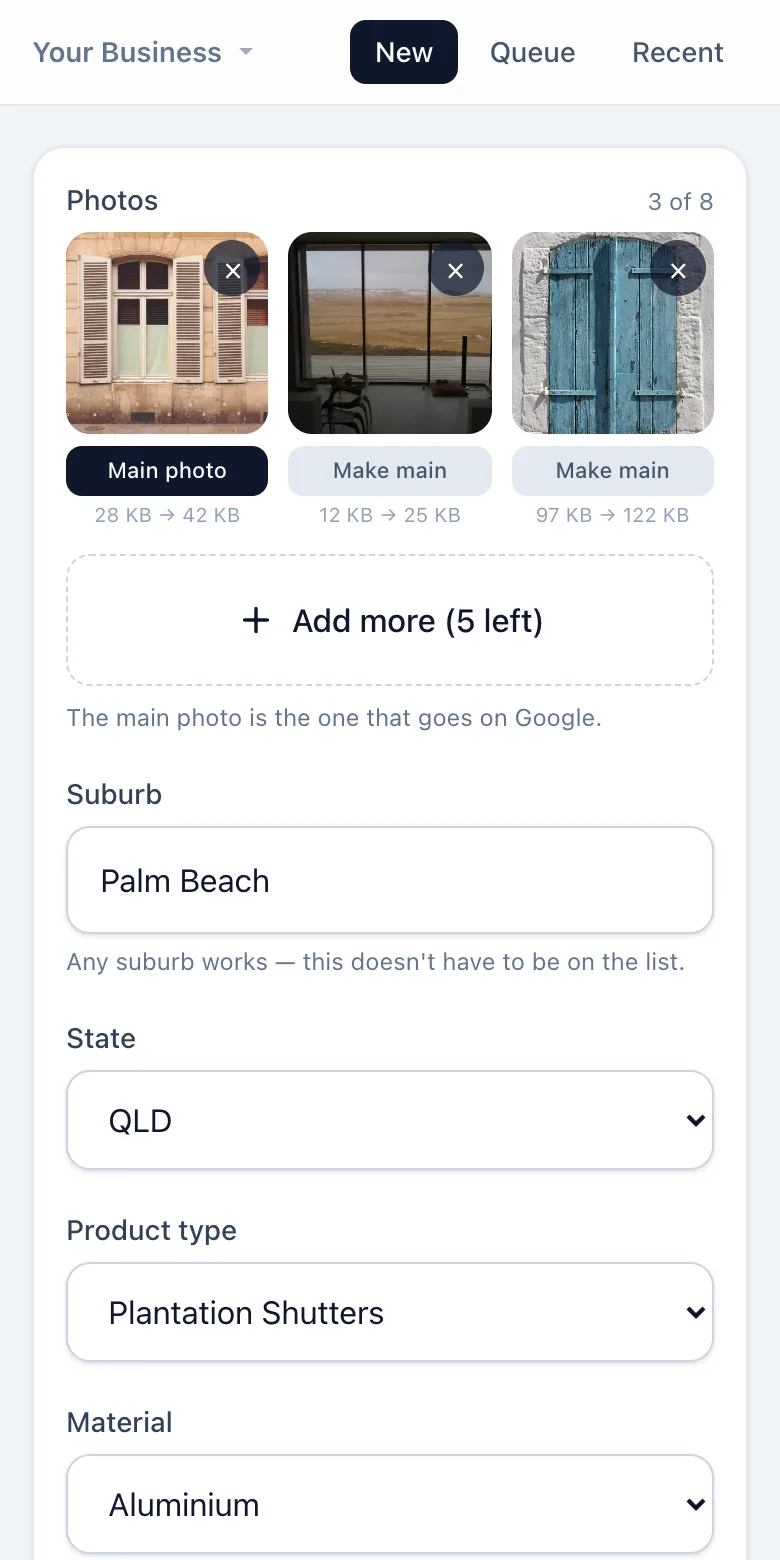
Snap the job, say where
Add a few photos when the job's done, then pick the suburb and what you did. A line about what was different is optional.
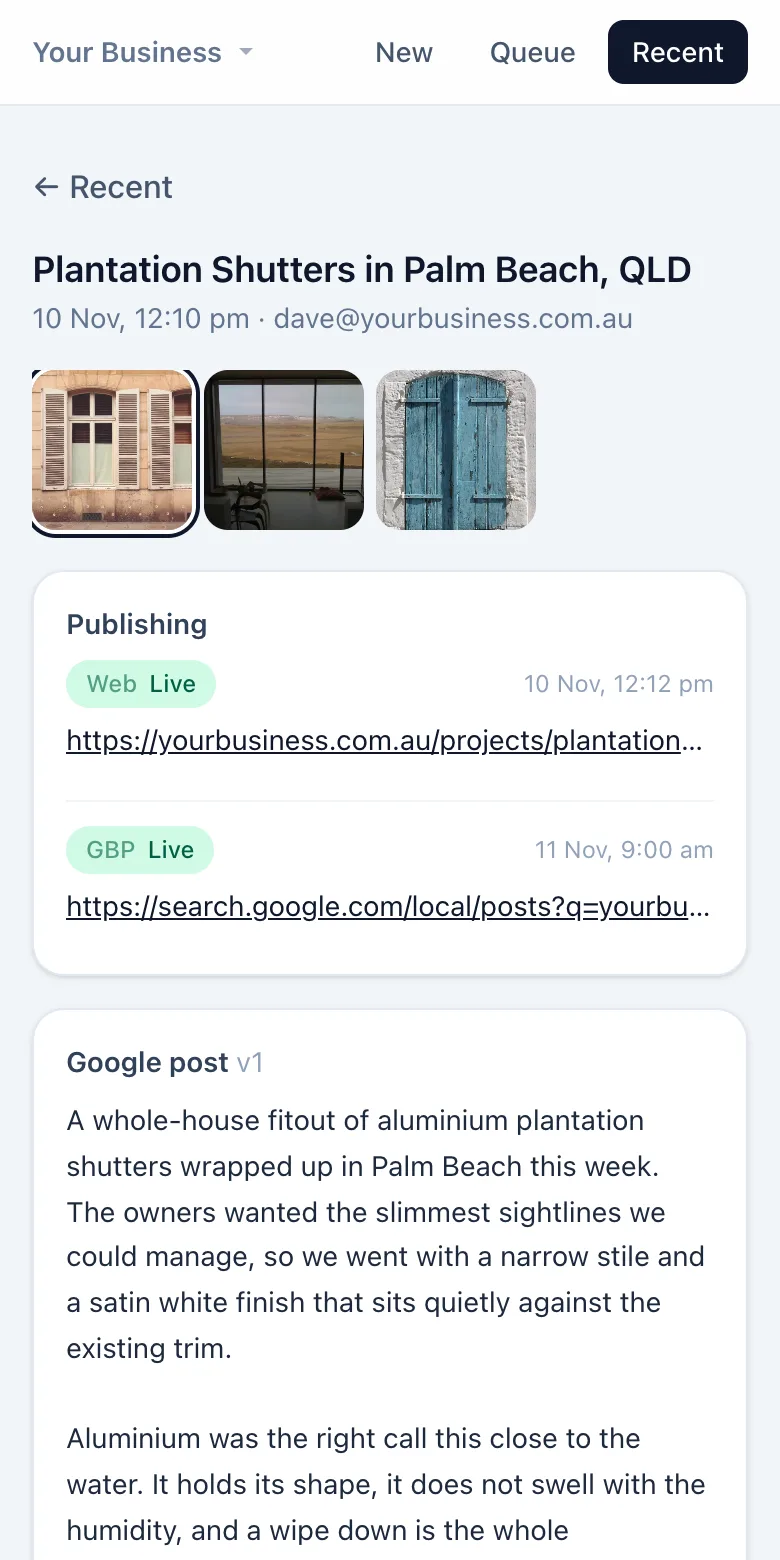
It writes the post
About 30 seconds later there's a Google Business Profile post written around that service and suburb, with details pulled from your photos.
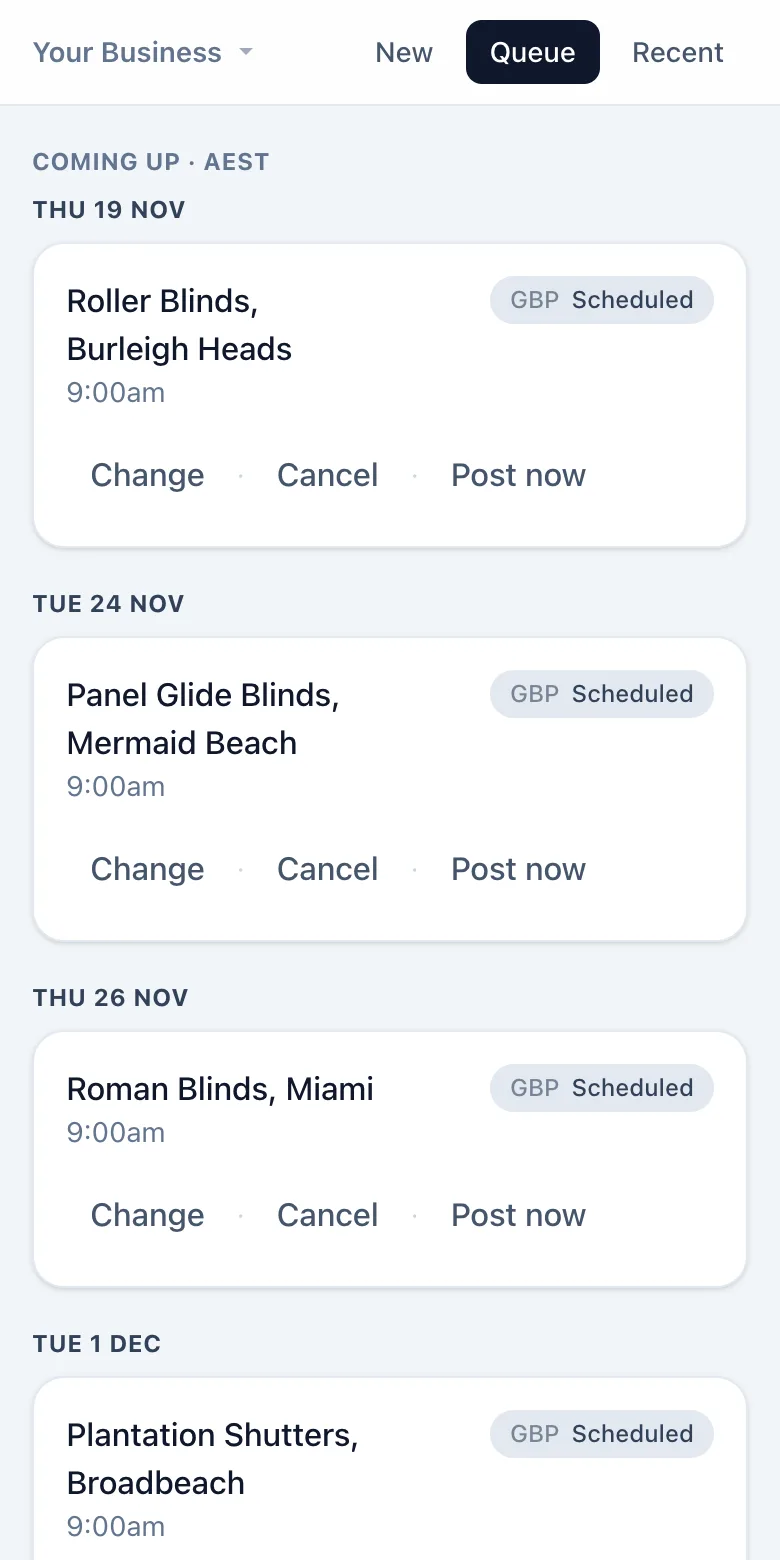
It lines them up
Posts go out in a steady rhythm, a couple a week, so your profile keeps getting fresh posts instead of ten in one day.
If your website runs on WordPress, it can also publish a matching project page for that service and suburb.
Get your jobs working for you on Google
Pop your details in and I'll send you how to get started with Project Poster.