
Last step
Add your Google Ads Customer ID
It's the 10-digit number Google gives your ad account, and it takes about a minute to find. As soon as you add it, our system sends you an access request so we can start your check.
Loading…
How to find it
1
Sign in to Google Ads
Go to ads.google.com and sign in with the Google account you use for your ads.
2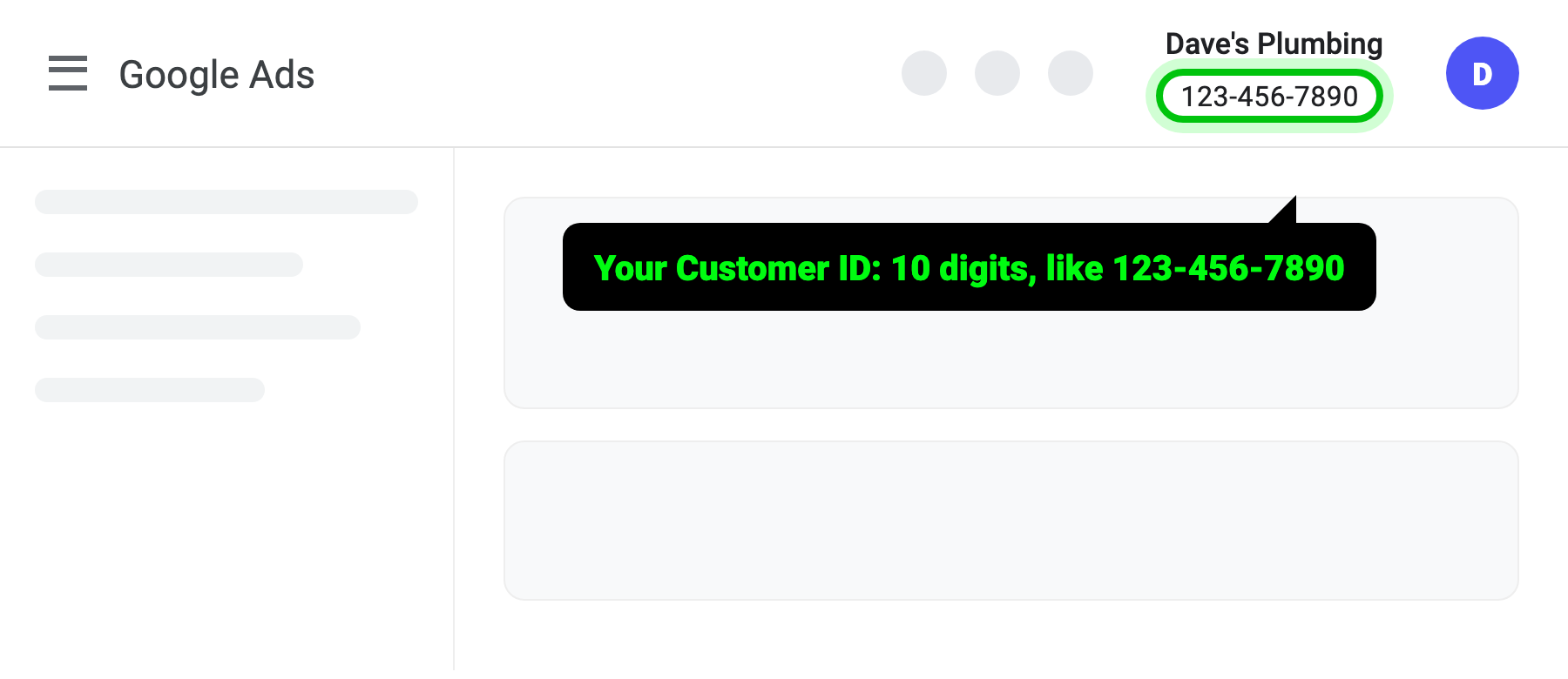
Look at the top right
Your Customer ID sits next to your account name, in the format 123-456-7890. Copy it.
3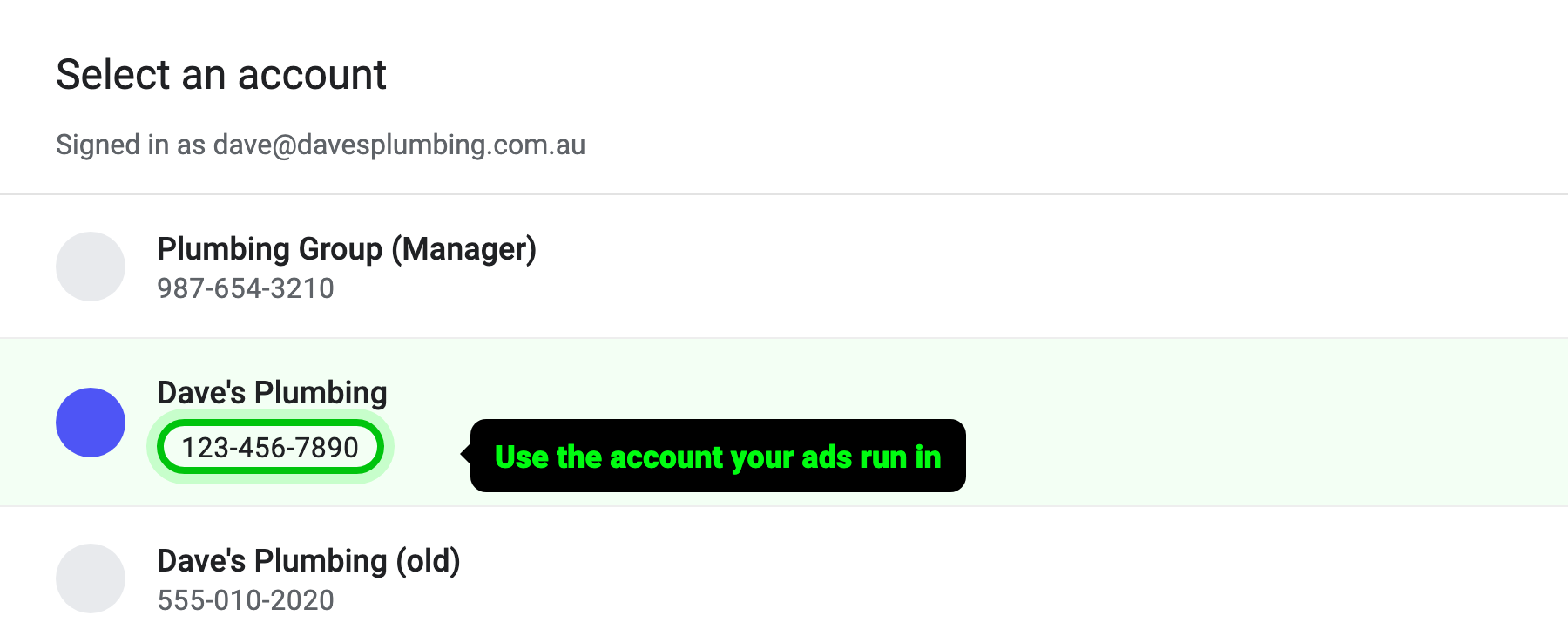
See a list of accounts?
Use the account your ads actually run in, not a manager account. The ID is under each account name.